
Import and export contacts
Move leads in and out with CSV or Excel files.
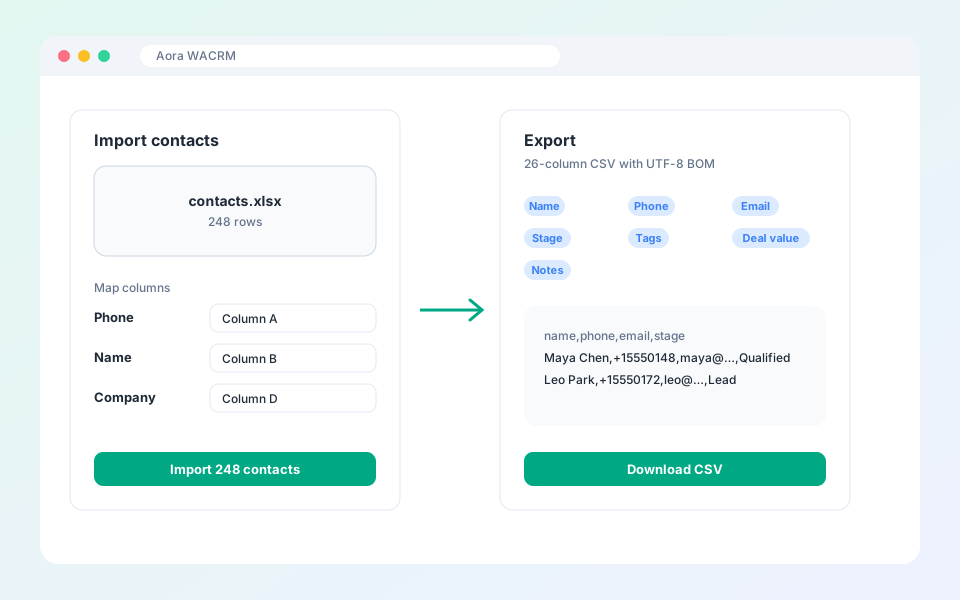
Back up your leads or load a list of numbers in bulk.
Steps
- To export, use the export button in the chat list tools. You get a 26-column CSV with a UTF-8 byte order mark.
- To import, choose Import WhatsApp numbers.
- Upload an Excel (.xlsx) or CSV file.
- Map the Phone, Name and Company columns.
- Preview the result and select Import.
Tip: The CSV opens cleanly in Excel and Google Sheets.
Updated October 19, 2026
Did not find what you need?