
Aora WACRM
FeaturesPricingBlogHelpContact
Browse all help topics
Help Center home
Getting started
Chat tabs
Contacts and CRM
Pipeline and follow-ups
  • Pipelines and deals
  • Follow-up tasks
  • Scheduled follow-up reminders
Messaging tools
AI and translation
Integrations
Team and reports
Account and billing
Privacy
Help Center home
Getting started
Chat tabs
Contacts and CRM
Pipeline and follow-ups
  • Pipelines and deals
  • Follow-up tasks
  • Scheduled follow-up reminders
Messaging tools
AI and translation
Integrations
Team and reports
Account and billing
Privacy
Help Center / Pipeline and follow-ups

Follow-up tasks

Calls, meetings, emails and to-dos in one list.
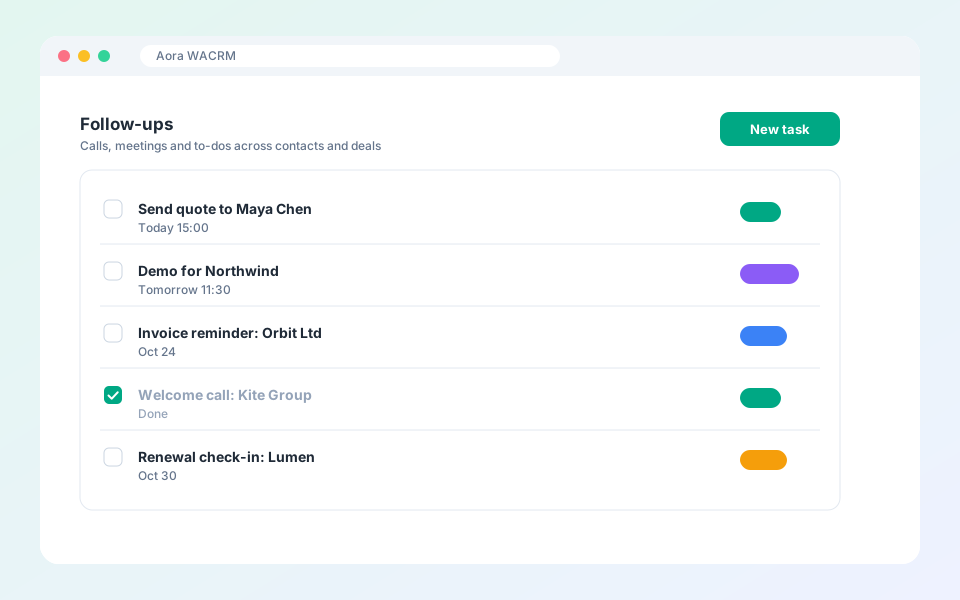
Follow-up tasks

Tasks make sure no lead goes quiet.

Steps

  1. Open Follow-ups in the dashboard.
  2. Select New task and choose a type: call, meeting, email or to-do.
  3. Link it to a contact, company or deal and set a due date.
  4. Tick the task when it is done.

Updated October 19, 2026

PreviousPipelines and dealsNextScheduled follow-up reminders

Did not find what you need?

All help topicsContact support
Aora WACRM

AI Messaging CRM with Auto Translation + Integrations

Product

FeaturesPricingBlogHelp

More extensions

Aora WACheckerAora WhatsApp Backup

Company

ContactTermsPrivacy

© 2026 Aora WACRM. All rights reserved.

Terms of ServicePrivacy PolicyContact[email protected]

Not affiliated with, endorsed by or sponsored by WhatsApp or Meta. All product names, logos and brands are property of their respective owners.