
Translate messages
Read and reply in any language.
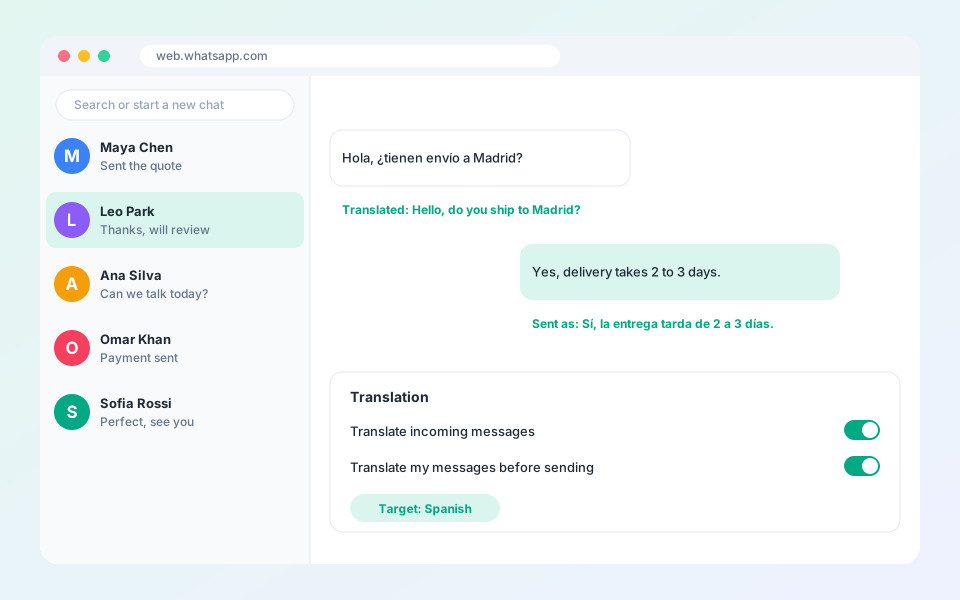
Translation shows incoming messages in your language and translates your replies.
Steps
- Select the globe icon in the top bar to open Translation settings.
- Turn on chat content translation to translate incoming messages.
- Turn on input box translation to translate what you type.
- Choose the target language.
- Use the shortcut to translate and send in one step.
Tip: Use Test in the settings to check that translation is working. Review prices and dates before you send.
Updated October 19, 2026
Did not find what you need?